AN INSTRUMENT FOR THE AGENT ERAOPEN SOURCE / BUILT IN THE OPEN

Local observability for coding agents

Know what your agents are doing.

Follow Codex, Claude Code, OpenCode, and Pi from one terminal. See their recorded progress, inspect tool calls, and find what needs your attention.

Open source Local by default No account required

THE VIEW FROM YOUR TERMINAL
agenturm / agents03 sessions
AGENT / PROJECTRECORDED STATE

RECORDED AT 12:58 · CODEX / CHECKOUT-API

A tool call needs a closer look.

github / get_pull_request
! API rate limit exceeded
Inspect the failed call
Interactive example · synthetic data

Three sessions. One interruption. The evidence to explain it.

ON YOUR MACHINE

Start here. Stay in your terminal.

curl -fsSL https://www.agenturm.dev/install.sh | bash

Requires Python 3.11+, Git, and uv ↗. Then run agenturm.

01 / THE INVESTIGATION

Something stopped.
Find out what.

A waiting session is a clue. Follow one recorded interruption from the agent, to the failed tool call, to its place in the run.

Interactive example · synthetic data

agenturm / All sessions
01 / FIND THE SESSION
Agent / projectStatus
Recorded example · 12:58↑ ↓ select t trace / search

Select a record. Read the evidence. Keep the thread.

Replies and approvals happen in the agent’s own terminal.

02 / CONNECTIONS

Your tools.
A shared vantage point.

Start with local records from the tools you already use. Add telemetry integrations when your setup needs them.

Automatic local discovery

NO AGENT RESTART REQUIRED

Recent supported records are discovered when Agenturm’s receiver runs locally.

Codex

Local session files

~/.codex/sessions

Claude Code

Local project records

~/.claude/projects

OpenCode

Local database · read-only

~/.local/share/opencode

Pi

Local session files

~/.pi/agent/sessions
Discovery and custom paths

03 / THE ACTUAL INTERFACE

Made for your terminal.
And your muscle memory.

This is what you install. A keyboard-driven interface, with the details close and your hands where they belong.

Full resolution
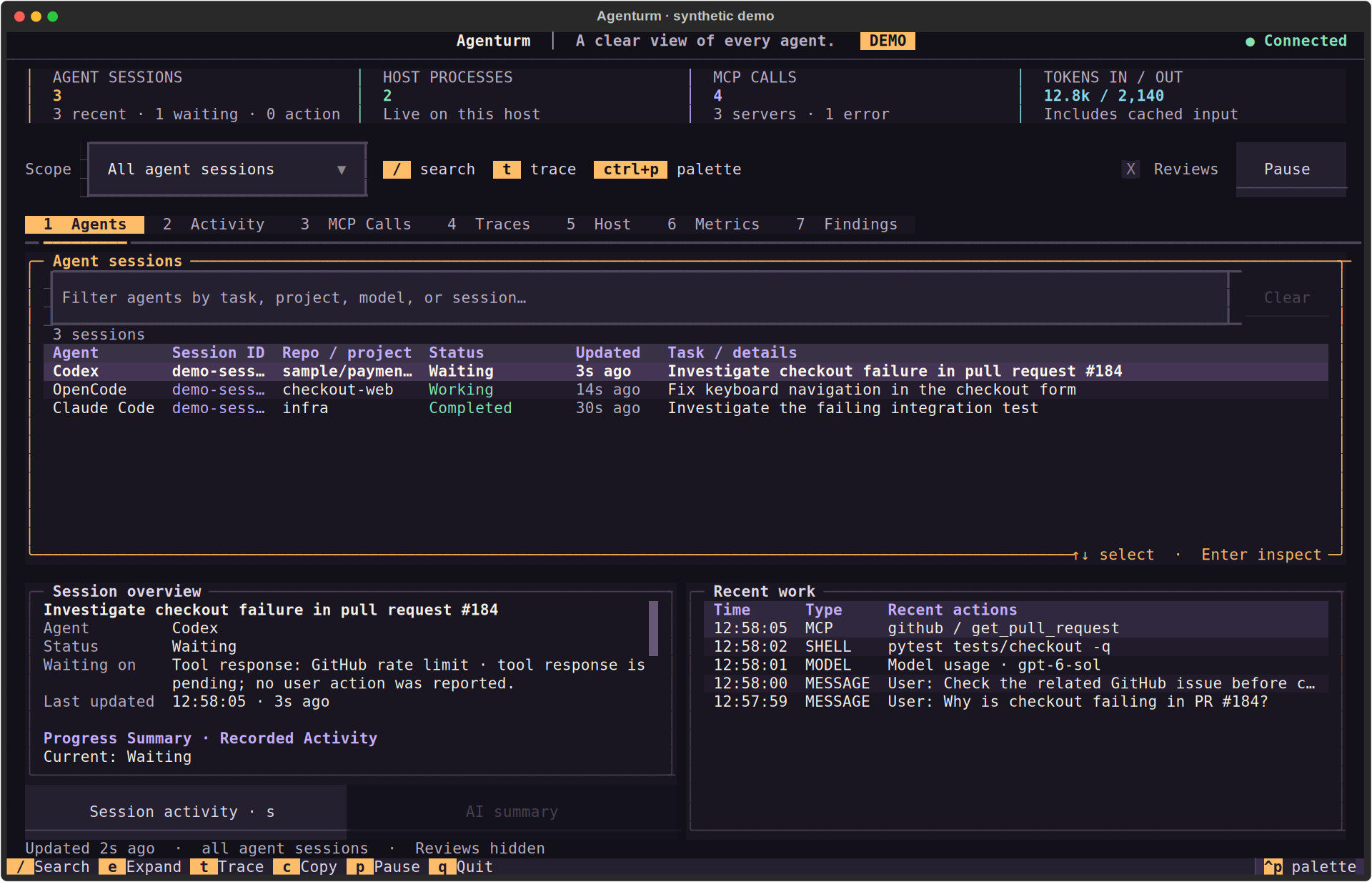
Actual Agenturm Agents view in a terminal, showing agent sessions and a selected session’s recorded details.
Start with the session.Projects, recorded state, and recent progress in one place. Select a session and inspect the work behind it.

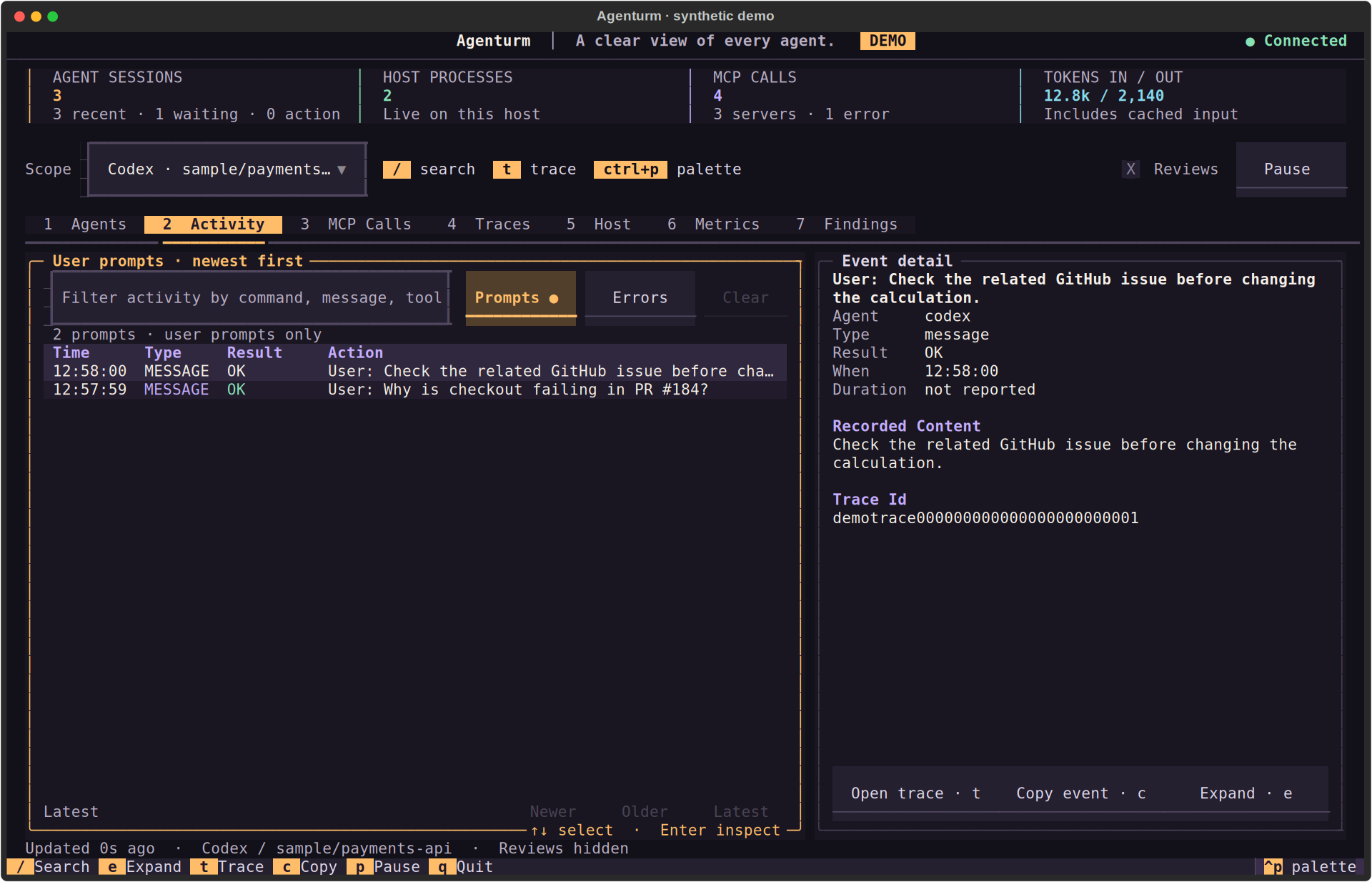
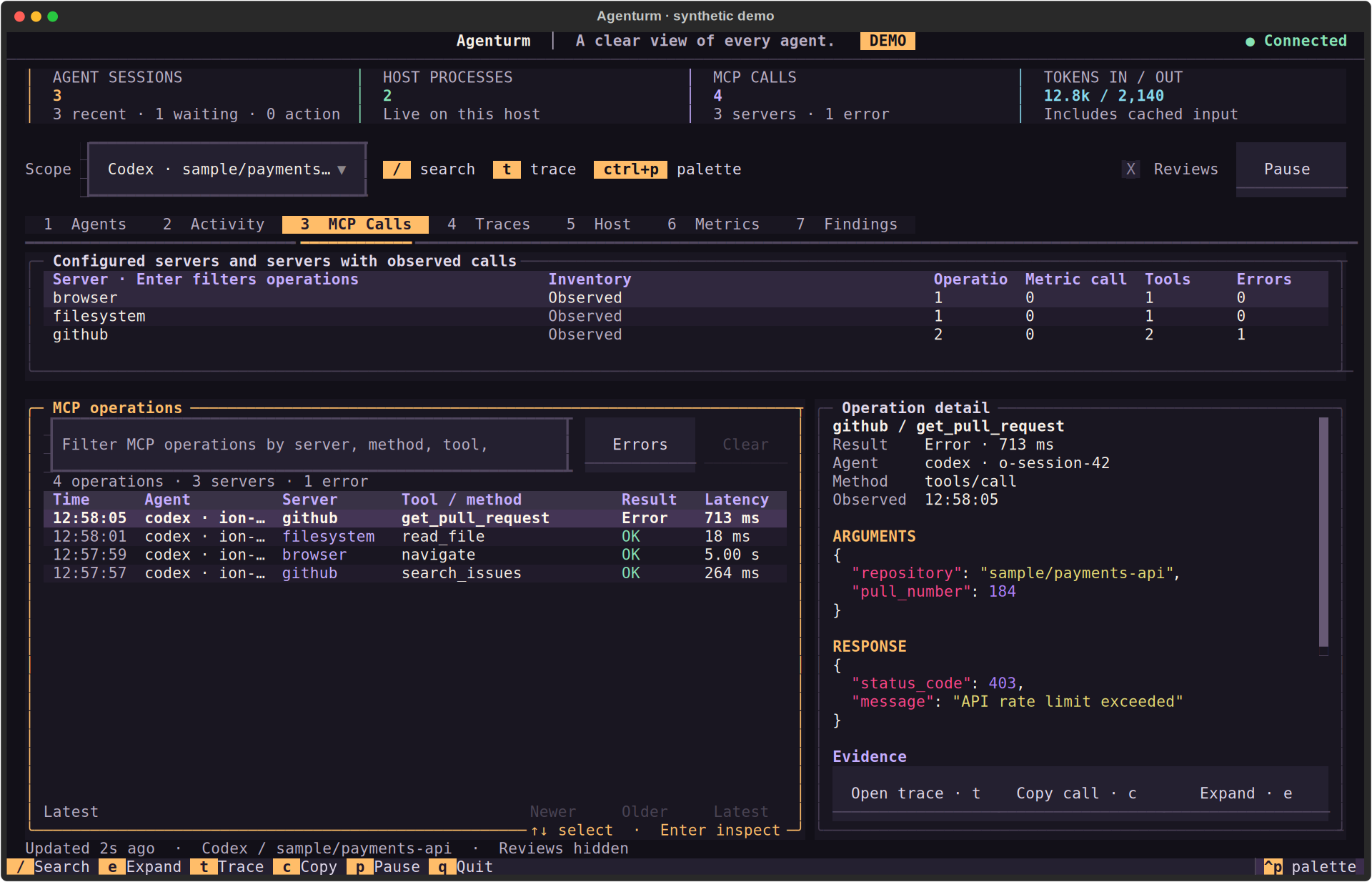
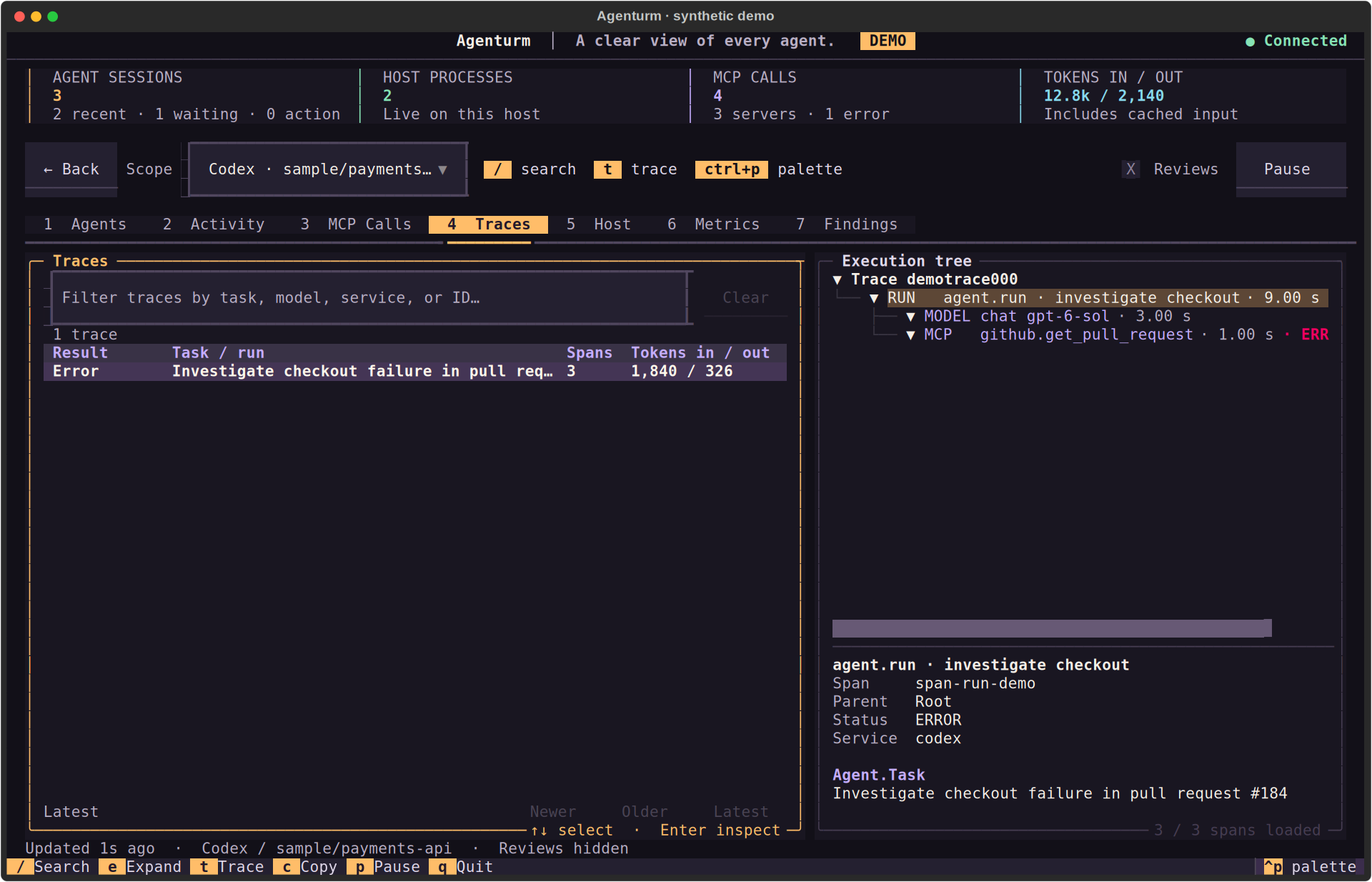
Actual terminal interface · synthetic records. Open a screenshot to inspect the details at full resolution.

LESS MOUSE. MORE MOMENTUM.

The useful keys are close.

1–7
Switch views
↑ ↓
Select a record
Enter
Inspect evidence
/
Search the view
All keyboard shortcuts ↗

A TERMINAL THAT FEELS LIKE YOURS

agenturm / palette preview
Codexcheckout-api! waiting

3 sessions · 1 recorded interruption

Illustrative palette preview. Choose a theme inside Agenturm.

04 / FIRST CONTACT

A small install.
A clearer picture.

Keep your agents running. Open another terminal and give their work a place to come together.

Before you begin

Already installed?
Upgrade and troubleshooting ↗

Requires Python 3.11+, Git, and uv. The installer runs in your shell.

01 / INSTALL
curl -fsSL https://www.agenturm.dev/install.sh | bash

Installs the latest version from the source repository. Review the script before running it.

Read installer ↗
02 / LAUNCH
agenturm

What you should see next

A full-screen terminal with your recent sessions in the Agents view. Agenturm starts or attaches to a local receiver.

No sessions found?

Run Codex, Claude Code, OpenCode, or Pi, then check local discovery in the usage guide ↗. If the command isn’t found, run uv tool update-shell and open a new terminal.

05 / UNDER THE SURFACE

Your machine.
Your record of the work.

Local monitoring has a clear boundary. Optional provider requests have a separate one.

01 / INPUTAgent records
& telemetry
02 / COLLECT & STORELocal receiver
& SQLite
127.0.0.1:14318
03 / INSPECTYour terminalNO ACCOUNT REQUIRED

Local by default.

Supported records are read on your machine and stored in local SQLite. Captured messages, commands, and tool results may contain sensitive project information.

--metadata-only omits native content from future ingestion. --no-local-agents disables native discovery.

Provider access is your choice.

Recorded-progress summaries work locally. Optional AI summaries call your configured provider only when you explicitly request one.

The documented session evidence can include task and action text. Review what is sent before enabling a provider.

Read the capture and privacy boundaries

06 / A FEW DETAILS

Before you
take a look.

Can I reply to an agent or approve an action here?

Agenturm shows recorded activity, waits, and requests for attention. Reply or approve the action in the agent’s original terminal. Agenturm does not take over your agent sessions.

Do I need an account, an API key, or a subscription?

No account or provider key is needed for local monitoring and recorded-progress summaries. Agenturm is open source under the MIT license. Optional AI summaries use your own configured provider and may incur provider charges.

Why aren’t my sessions showing up?

Run a supported agent, then check local discovery in the usage guide. Discovery reads recent, bounded records, normally from the last 24 hours. Custom data locations and disabling local discovery can affect what appears. After upgrading, an existing receiver may need a restart.

Is this demo looking at anything on my machine?

No. The interactive examples use synthetic data in your browser. The terminal screenshots are actual Agenturm screens, also populated with synthetic records. This website never reads your local sessions.

Architectural line drawing of the Berlin observation tower

BUILT IN THE OPEN. BETTER WITH YOU.

A good tool is never quite finished.

Try it on your setup. Read the code. Tell us what’s missing.
Small, considered contributions are welcome.

Make yourself at home
↑ ↓ navigate ↵ run esc close agenturm://palette
✓ copied